- Now on the App Store and Google Play
- Recognition TiE Women’s Program 2026 Silicon Valley finalist
- Supported by Microsoft for StartupsAWS ActivateGoogle for Startups Cloud Program
The agentic AI for parents.
It remembers, nudges, and acts before you ask — built on decades of child psychology.


- Grounded in developmental psychology
- Crisis-safe by design
- We never sell your data
Parents say
-
It stopped telling me what to do and started helping me think
I downloaded this expecting another parenting app that would tell me I was doing it wrong. Bloom does the opposite. It doesn’t talk to my kid — it talks to me, before the hard conversation, when I’m still angry in the driveway. Compass has changed how I plan my week around my son instead of around my inbox. The first time I noticed the difference wasn’t in the app. It was my nine-year-old telling me something he’d been sitting on for a month.
AKM6+ · United States Read on App Store -
Emotional Intelligence And Parenting
This parenting app stands out with its emotional AI approach, offering thoughtful and personalized guidance instead of generic advice. It understands different parenting situations, responds with empathy, and provides practical suggestions that feel supportive and relevant. The overall experience is intuitive, calming, and genuinely helpful for parents looking to build a stronger emotional connection with their children.
abhi569 · India Read on App Store -
Really helpful app for parents looking for quick and practical guidance. The AI suggestions are easy to understand and feel personalized to your child’s needs. I especially liked how convenient it is to get support for everyday parenting challenges. Definitely worth trying! ❤️
Neetu shukla Read on Google Play
How parents use it
What would you like help with tonight?
emoGlow is one app, but parents reach for it for different reasons. Pick yours to see how the pieces work together.
Rehearse the talk before the talk
Phones. AI. Growing up. You know the conversation is coming and you have no idea how it will go.
-
Compass
Open the moment: a two-minute read on what the research says, then a private reflection only you can see.
-
Bloom · Practice Pro
Rehearse it with Bloom playing your child, in their words for their age, with coaching notes as you go.
-
Family agreement Pro
Turn what you agreed into one shared page, and propose it to the other parent.
-
Nudges
A few days later Bloom checks in: how did it land, and what is the next small step?
What you get You have said the hard thing once already, with a plan the whole family agreed to.
Start free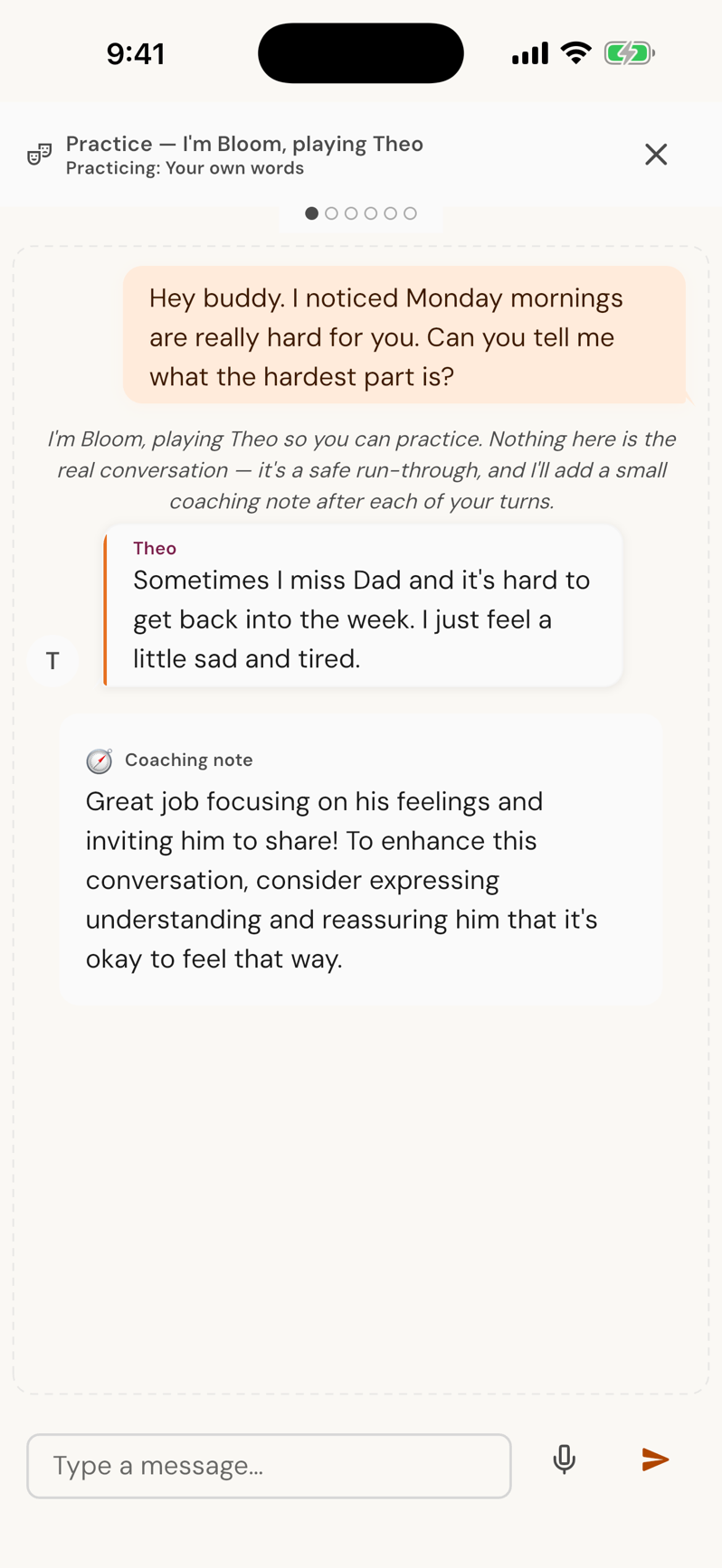
The week runs without you holding it
Two calendars, a practice change, a sitter, a deadline, and it all lives in your head.
-
Schedule
One family calendar synced with Google, Apple and Outlook. Conflicts surface before they bite.
-
The Binder
Forward the practice-change email. Bloom drafts the event; you tap confirm.
-
Routines
The evening routine runs itself: steps, timers and reminders for the hours you are not managing.
-
Handoffs
Prepare the handoff so the other parent picks up mid-stream, then debrief how it went.
-
Bloom’s Plan
When a pattern shows, Bloom proposes the next small structural fix and sets it up for you.
What you get Fewer things to remember by dinner, and the other household in sync.
Start free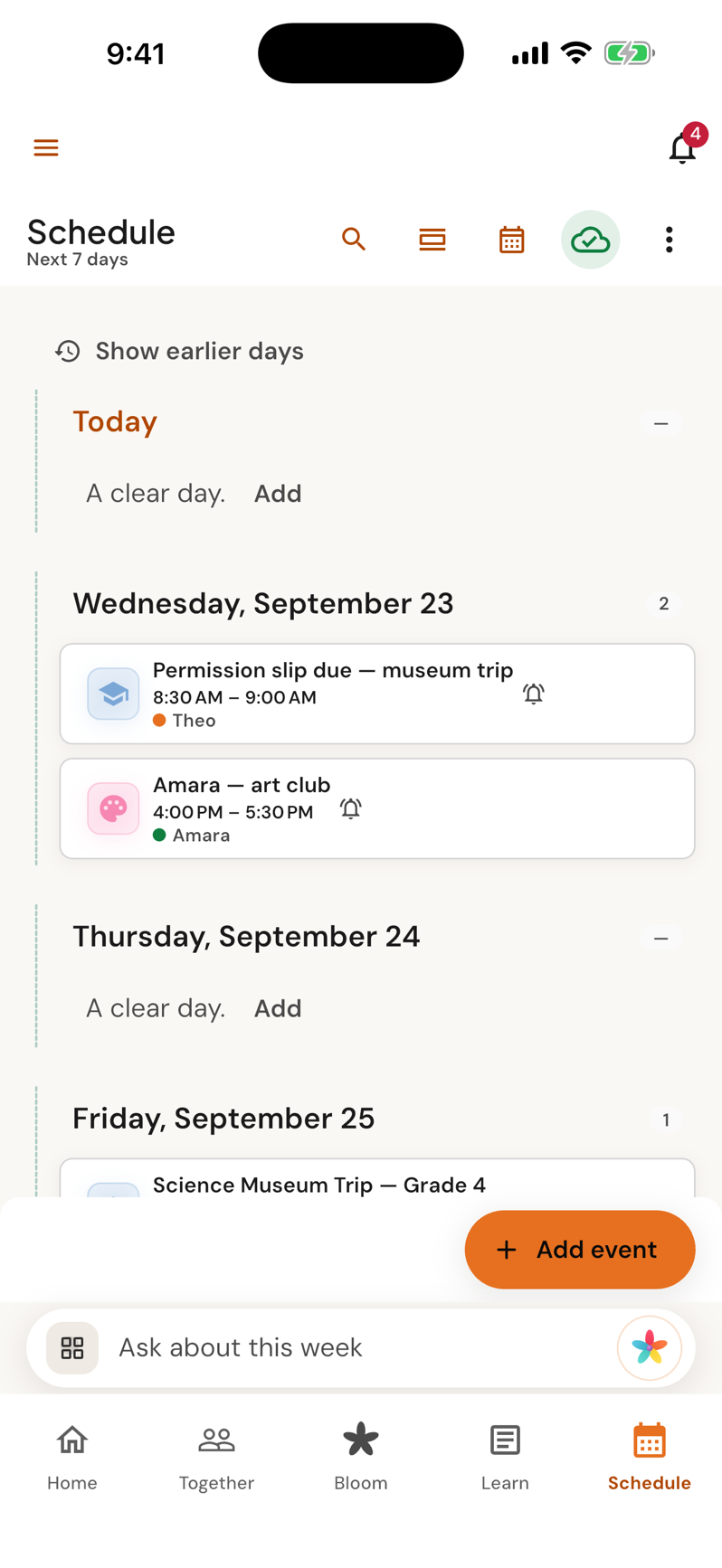
Forward an email. Done.
Newsletters, picture day, the fee, the form, the permission slip. Every one of them is a job.
-
The Binder
Forward any school, activity or medical email to your Binder address.
-
Review
Each item comes back as an event, a task or a reminder, sorted by child, waiting for your confirm.
-
Schedule
It lands on the family calendar, on the right date, with a reminder the morning of.
-
Lists & bills
The supply list and the fee go where you will actually see them.
What you get A forwarded email is the entire workflow.
Start free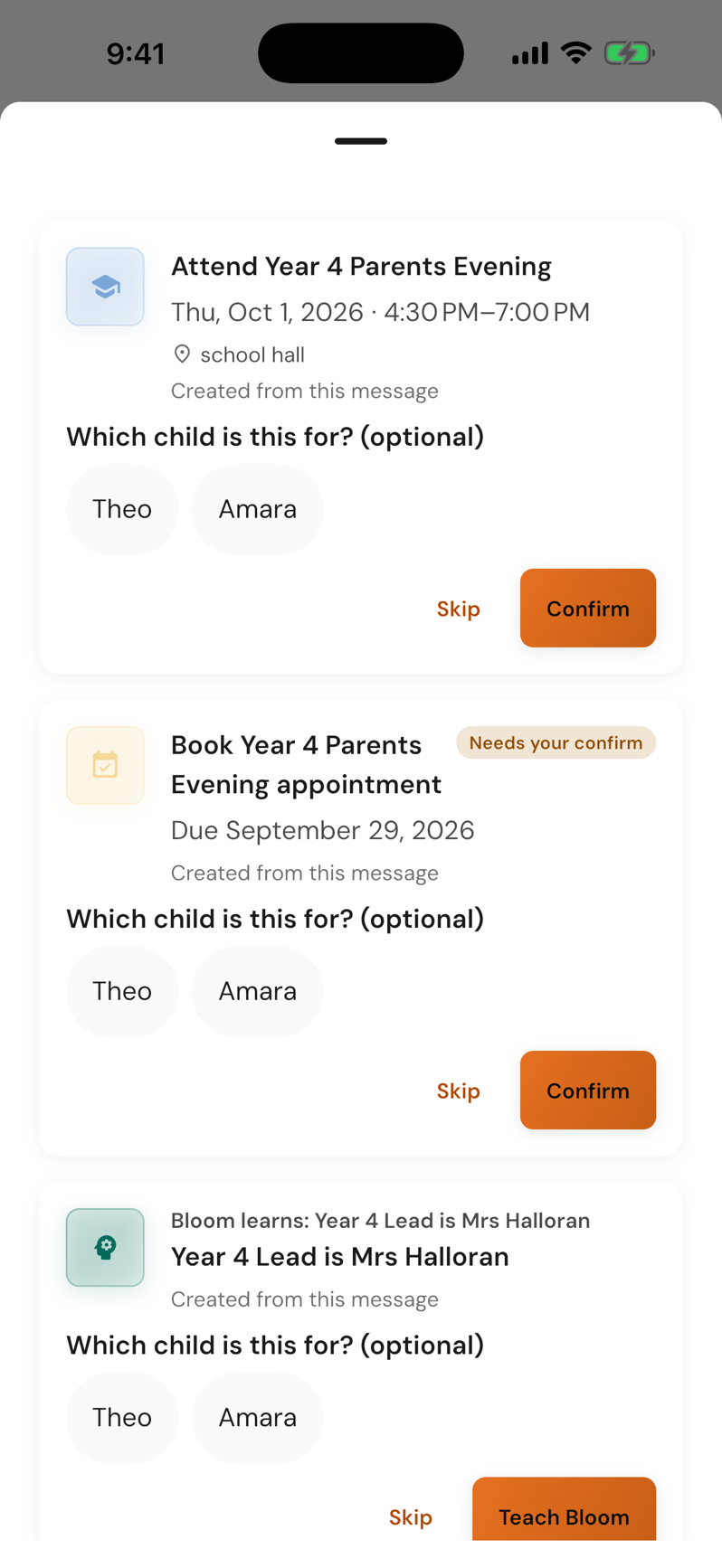
Fewer messages you regret
You need to decide something with the other parent and the last three messages went badly.
-
Together
Write the message. If it reads hot, emoGlow says so and offers a calmer version you can undo.
-
Bloom · Draft
Or ask Bloom to draft it in the tone you choose: direct, warm, brief, or de-escalate.
-
Decisions
Put what needs deciding on a card with a due date, and vote.
-
Handoffs
Prepare, hand over, debrief. The details travel with the child.
What you get Decisions that actually close, and a record if you ever need one.
Start free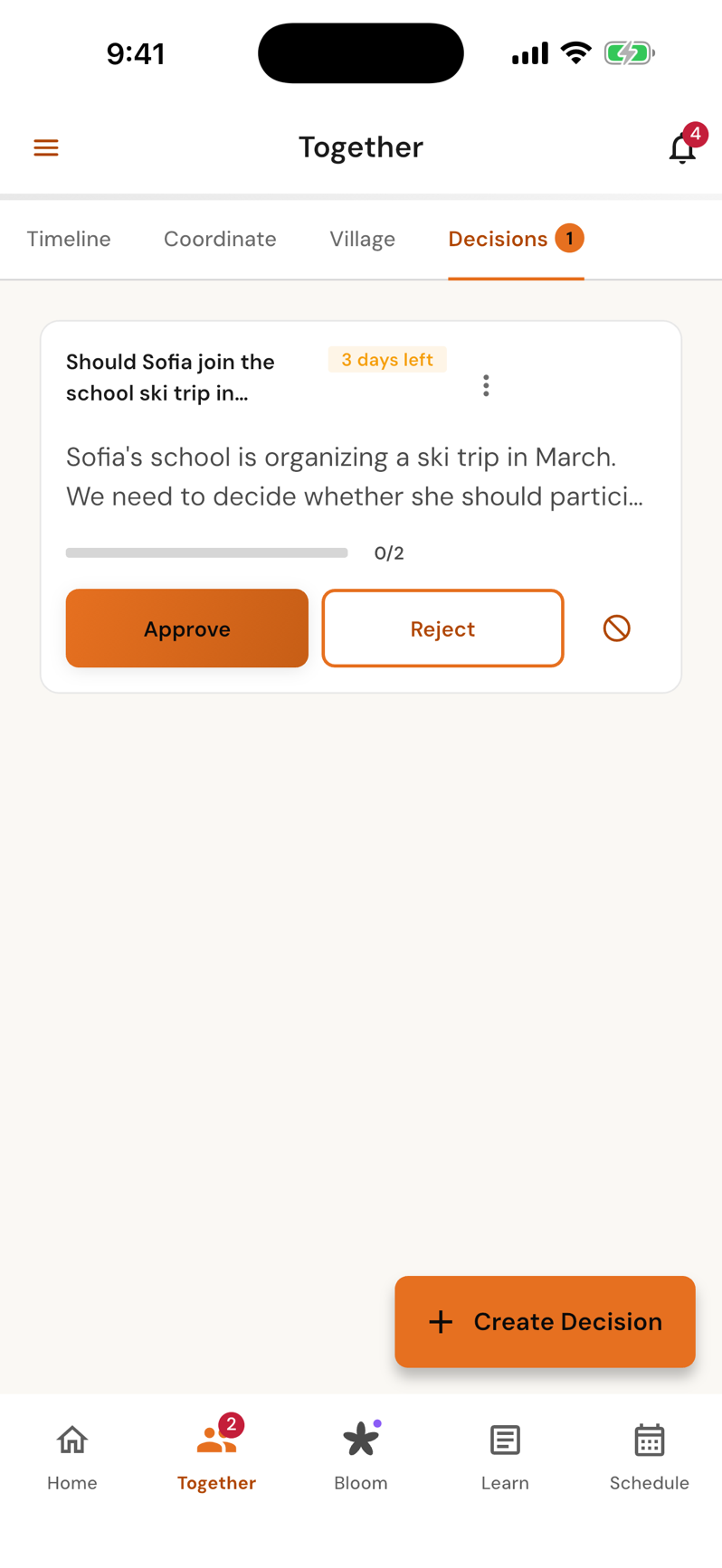
See each child clearly
You want your child to name feelings, bounce back, and grow in confidence, and you are not sure it is working.
-
Daily check-in
Three seconds or three minutes: your mood, your energy, each child’s mood, and a rose, a thorn, a bud.
-
Kids World
The week’s emotional weather, what helps, what is worth noticing, and the patterns you would never spot alone.
-
Stories & activities
A bedtime story with their name and interests, or an activity for today, chosen for what they need this week.
-
Learn
Articles, podcasts and quick tips curated for your child’s stage, not the internet’s.
What you get A running, evidence-backed portrait of your kid instead of a hunch.
Start free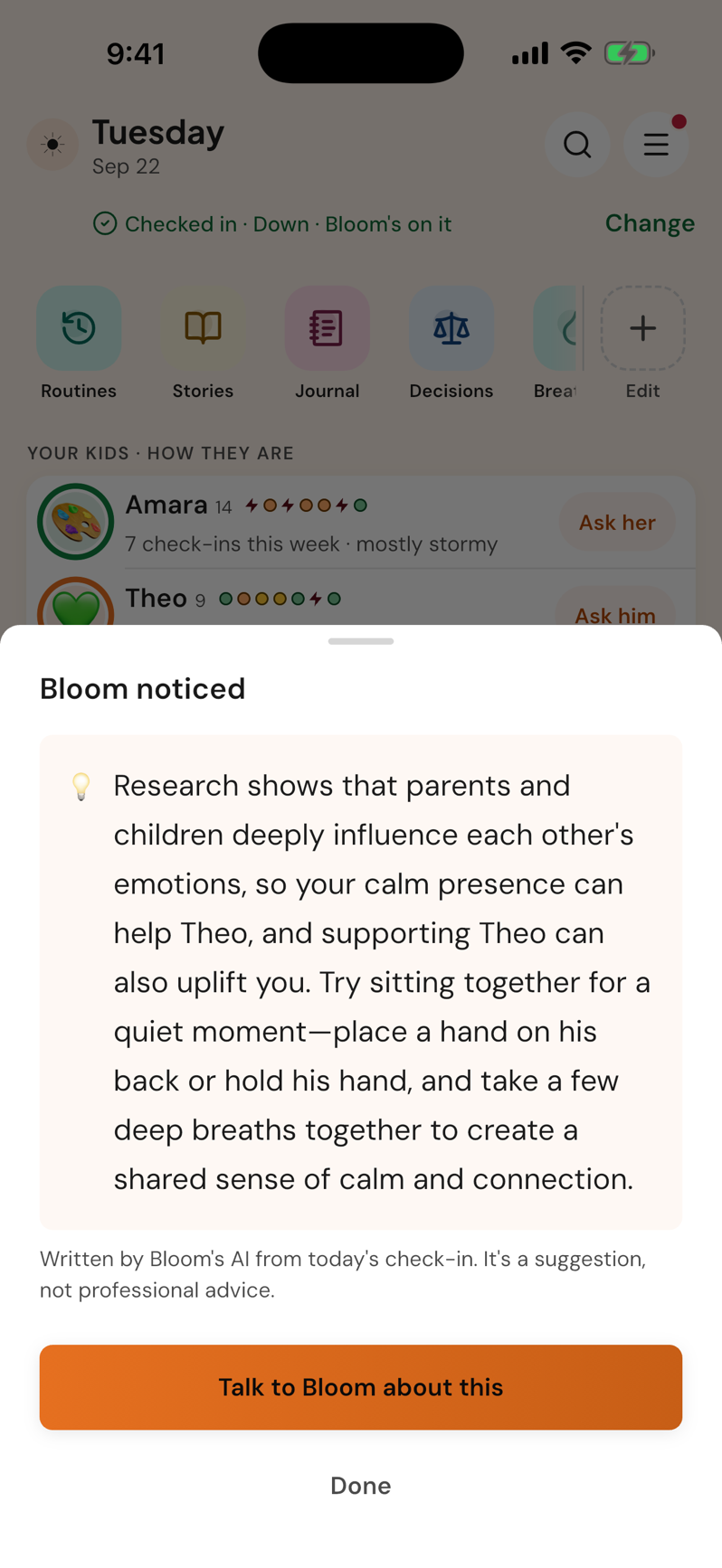
The hardest hour has a script
It is 7:40, nobody is in pajamas, and you have nothing left.
-
Routines
The bedtime routine runs step by step with countdown timers the kids can see.
-
Stories
Tonight’s story, or generate one with your child’s name, for calm, courage, or just sleep.
-
Bloom · Voice
Talk it through hands-free while you tidy up. Bloom answers aloud.
-
Breathing
A one-minute reset for you after lights out.
What you get A routine that runs itself, a story that fits tonight, and a calmer you.
Start free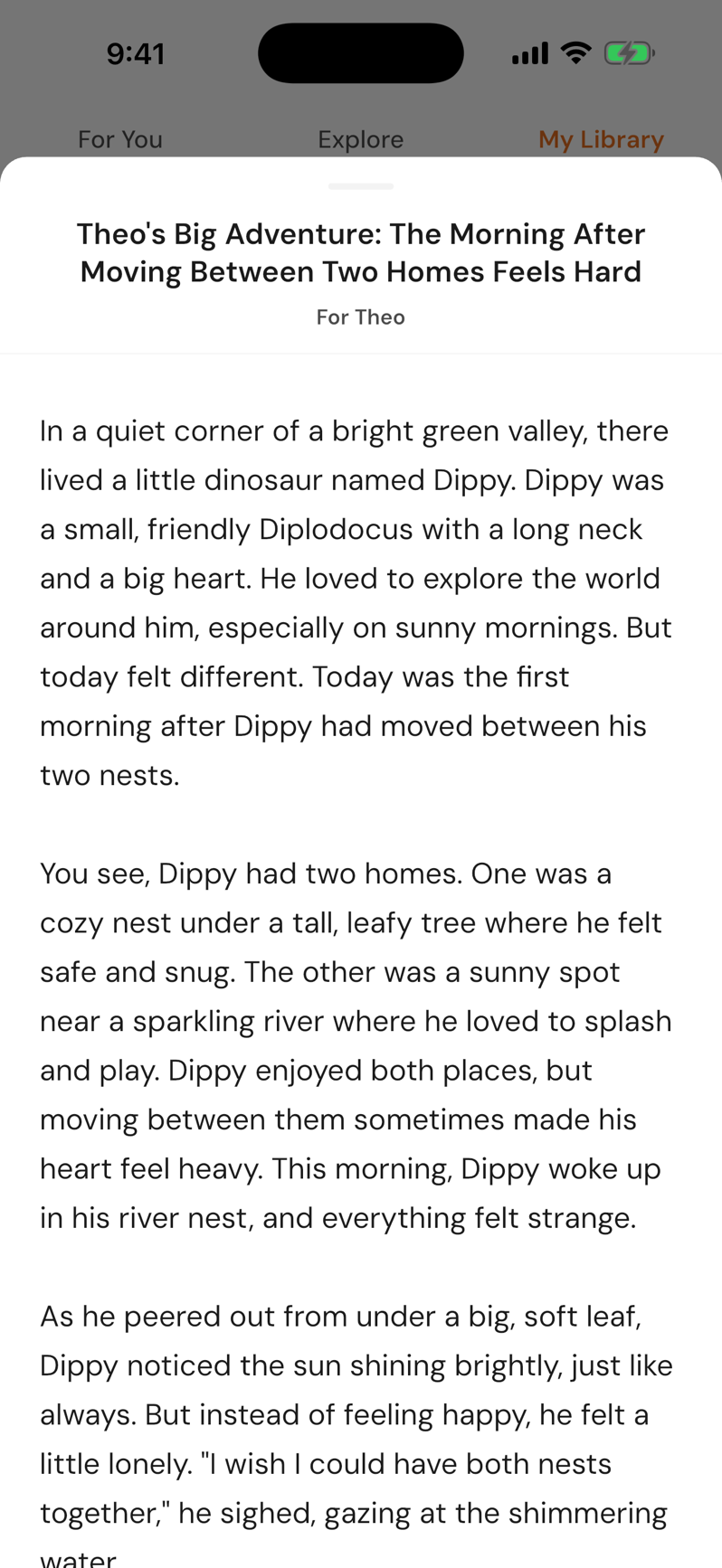
Something real to hold at 2 a.m.
You are awake, worried about your child, and Google has forty answers.
-
Bloom
Ask by text or voice. Bloom picks up where you left off: it remembers your child, your last conversation, what worked.
-
Research-grounded
Answers cite the developmental research they come from, and say so when they don’t.
-
Crisis-safe
Every message is screened. If a conversation suggests someone may be at risk, local crisis lines appear in your language.
-
Learn
The article Bloom cited, saved to your library. In the morning, a nudge asks whether it helped.
What you get Guidance for your child, not a generic one, with safety rails that never switch off.
Start free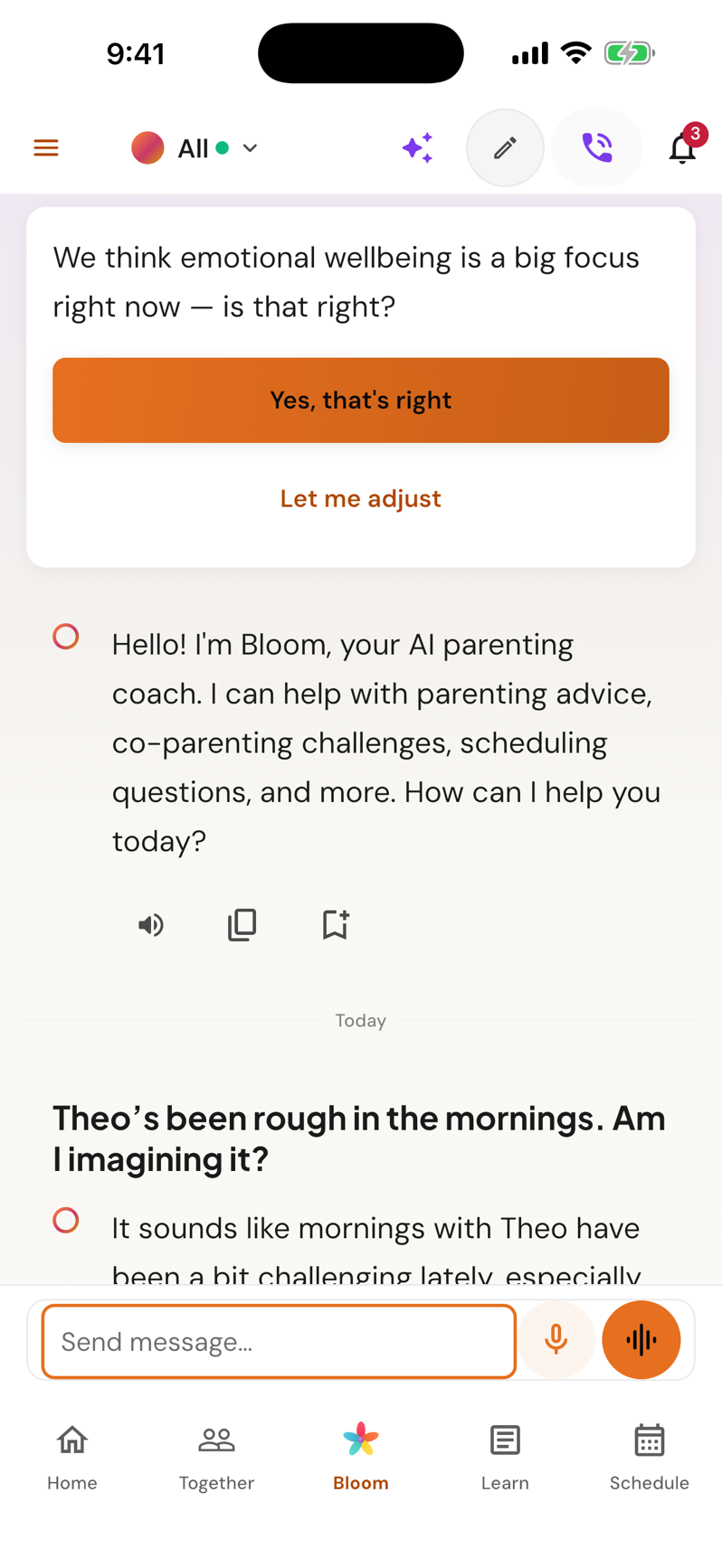
You are never parenting alone
You want to know what other parents actually did, not what a forum stranger thinks.
-
Village
Ask anonymously in a corner: sleep, teens, screen time, big feelings, co-parenting.
-
Bloom · AI coach
Bloom posts a cited first answer within seconds, clearly labeled as AI.
-
Parents
Real parents add their take. You add yours.
-
Bloom
Then ask Bloom privately to fit the thread to your child, and turn it into a routine or a reminder.
What you get A thread that is never empty, then a decision adapted to your kid.
Start free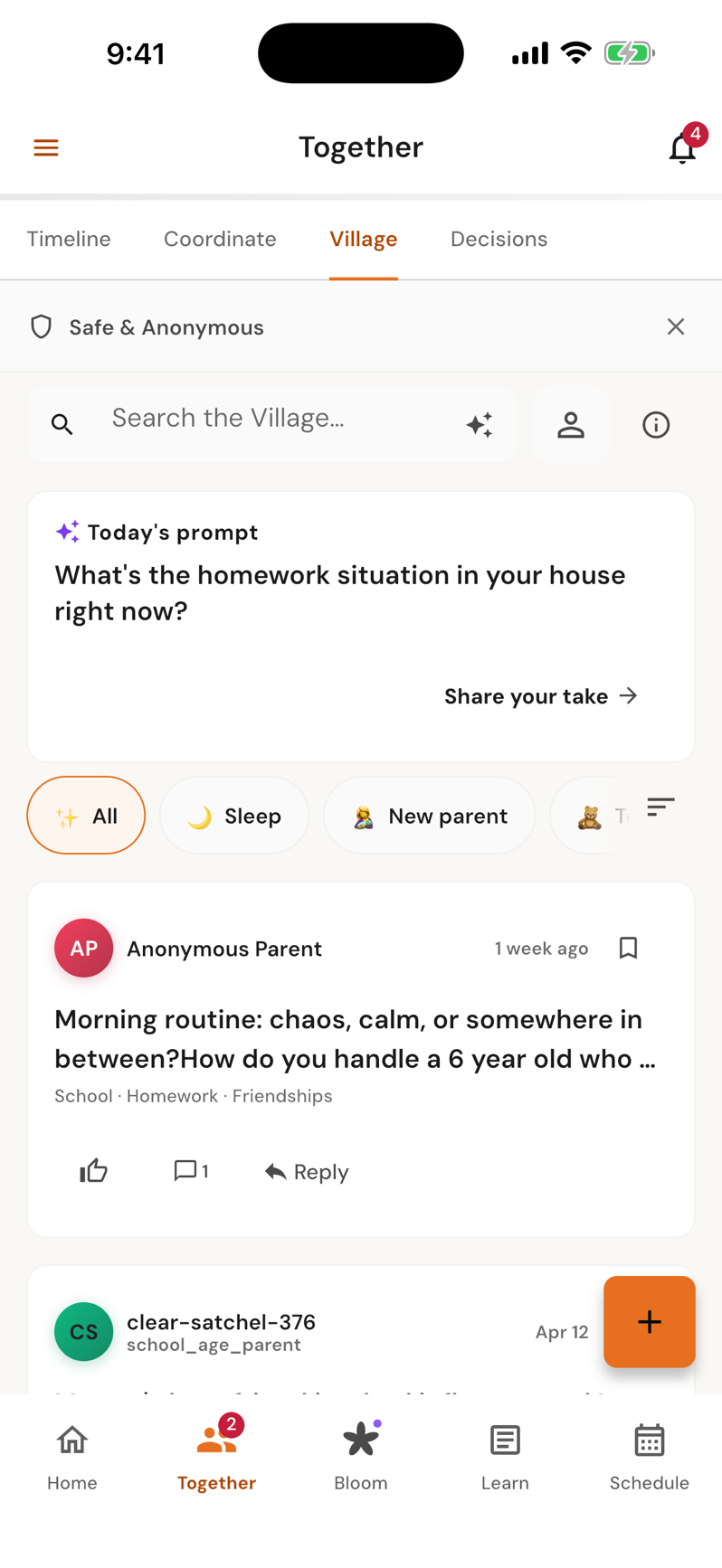
The emoGlow series
One hard moment. A better second take.
Short stories about the moments every parent knows, each with one thing to try tonight.
-
 Episode 3
A tantrum has two halves: the anger peaks fast, then comfort helps
The wrong cup. Full meltdown.
Episode 3
A tantrum has two halves: the anger peaks fast, then comfort helps
The wrong cup. Full meltdown.
-
 Episode 4
What’s on the screen matters more than how long it’s on
The TV went off. Full meltdown.
Episode 4
What’s on the screen matters more than how long it’s on
The TV went off. Full meltdown.
-
 Episode 5
Bedtime routines work by the dose: more nights a week, better sleep
Bedtime. Mia wants THREE more stories.
Episode 5
Bedtime routines work by the dose: more nights a week, better sleep
Bedtime. Mia wants THREE more stories.
-
 Episode 6
The invisible to-do list, and how to put some of it down
Leah’s head: 37 open tabs. Mia: one drawing.
Episode 6
The invisible to-do list, and how to put some of it down
Leah’s head: 37 open tabs. Mia: one drawing.
The family is illustrated with AI. The app screens in each story are real.
opens in a new tab
Why we exist
Every child deserves world-class parenting. The gap isn’t who cares more. It’s who has access.
We carry the mental load.
School emails become events. Schedules stay in sync across every adult in your child’s life. The 11 p.m. Google search becomes a two-minute conversation.
We strengthen your own judgment.
Bloom doesn’t hand you a script. It helps you see your child clearly, name what’s happening, and choose the next step yourself.
We keep you steady when it’s hard.
A calm, regulated presence at 2 a.m., in your language, that knows your family and knows when to point you to real help.
Bloom · the AI hub
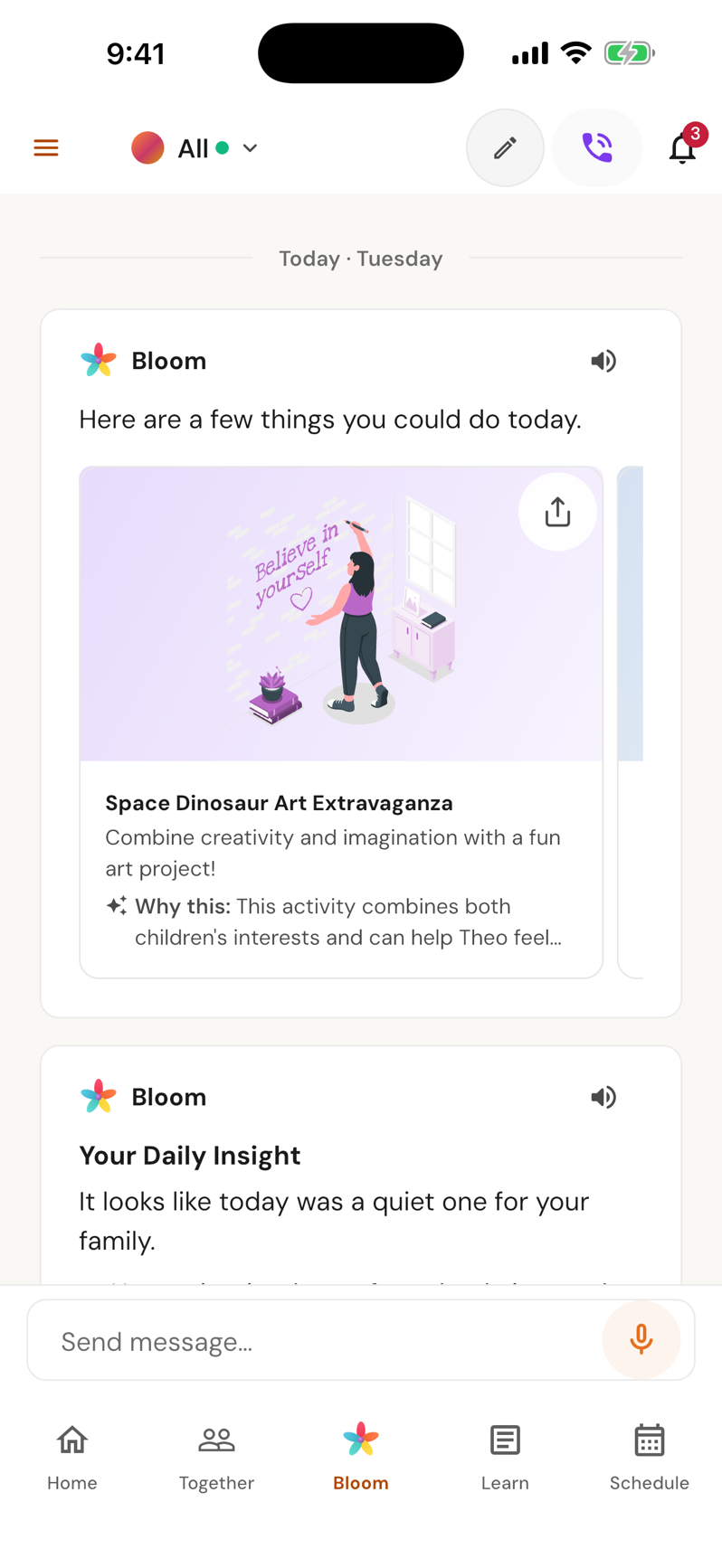
A coach that knows your child
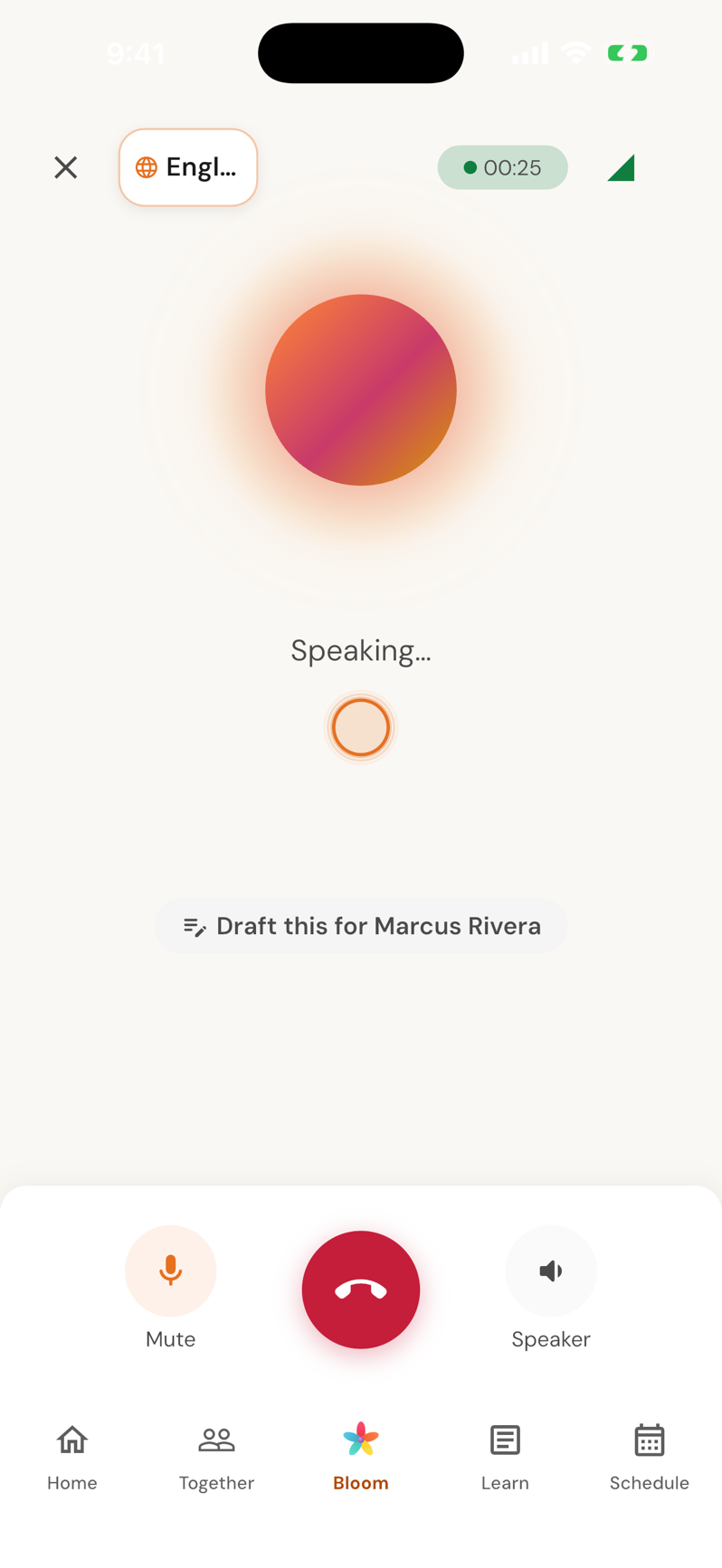
Bloom remembers that Monday mornings are hard for Theo and that Amara, at fourteen, needs a different kind of help. Ask anything, any hour, and get guidance for your child, not a generic one.
- Contextual memory: name, age, temperament, what worked last time
- Answers grounded in developmental research, cited when a source exists
- Nudges before you ask, never a nag
- Too tired to type? Hold the bar and just talk, in nine languages
The Binder · family calendar
The mental load, carried
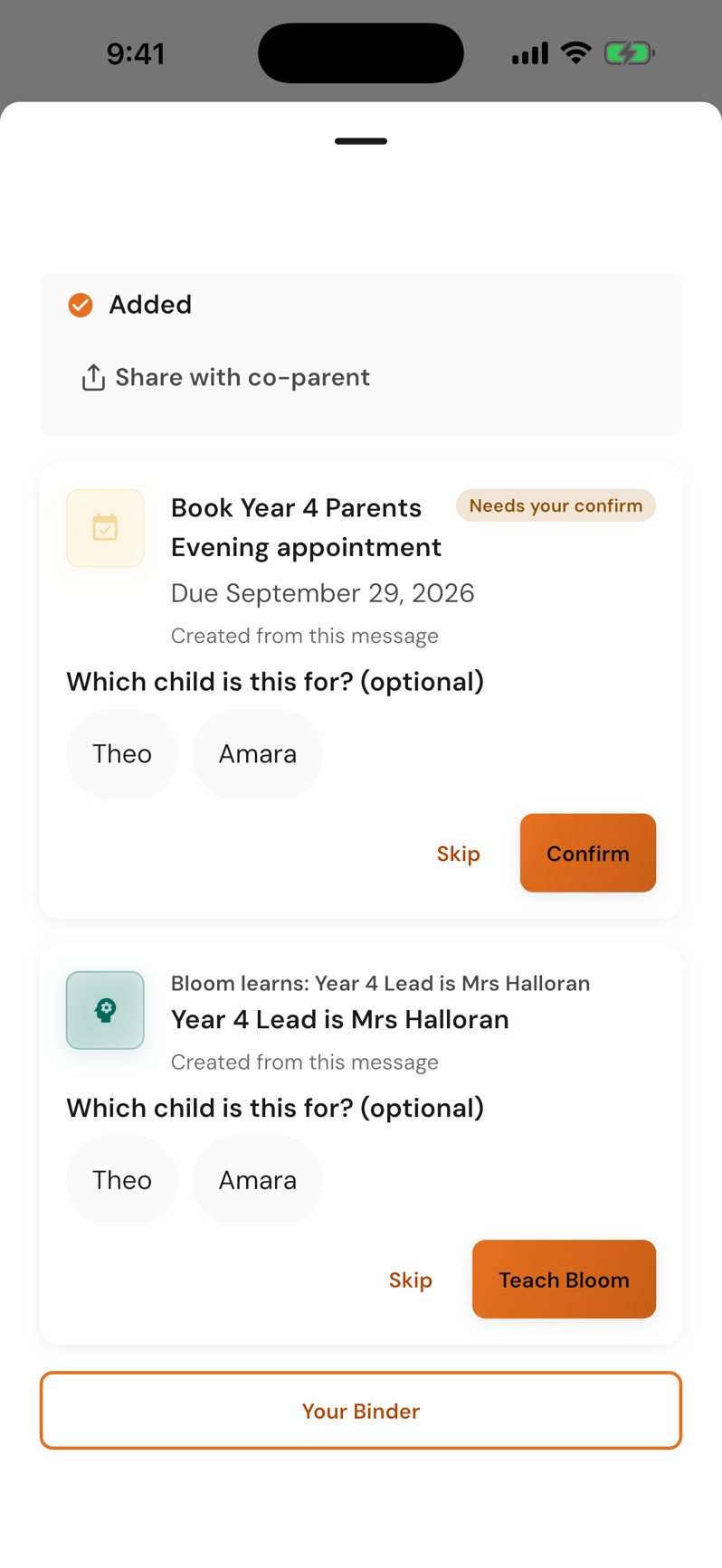
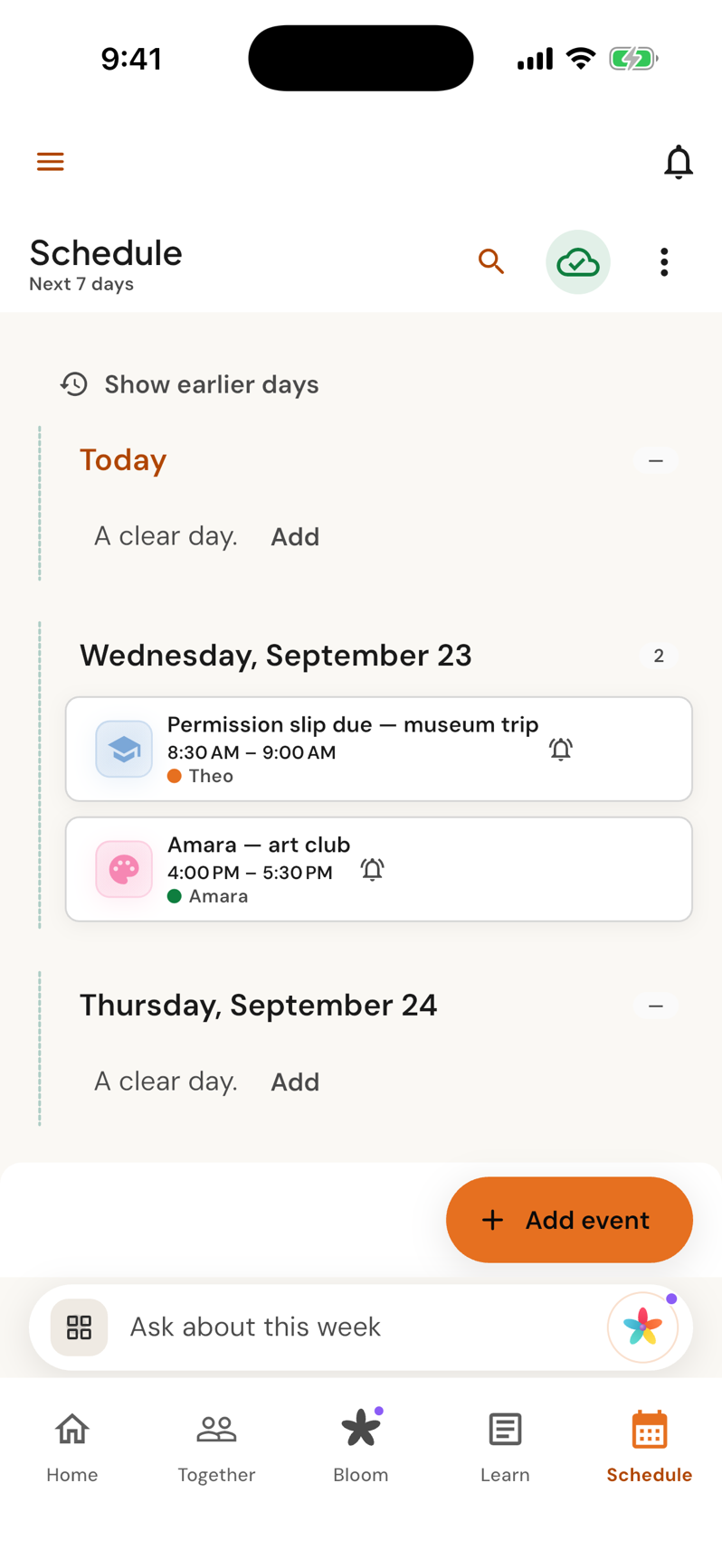
Send the school newsletter, the pediatrician reminder, the soccer schedule. The Binder turns them into events, tasks and reminders, asks which child they belong to, and waits for your confirm.
- Events, tasks and reminders extracted automatically
- Nothing lands on the calendar without your confirmation
- Works with the mail you already have
- One calendar for every adult who helps, in sync with Google, Apple and Outlook
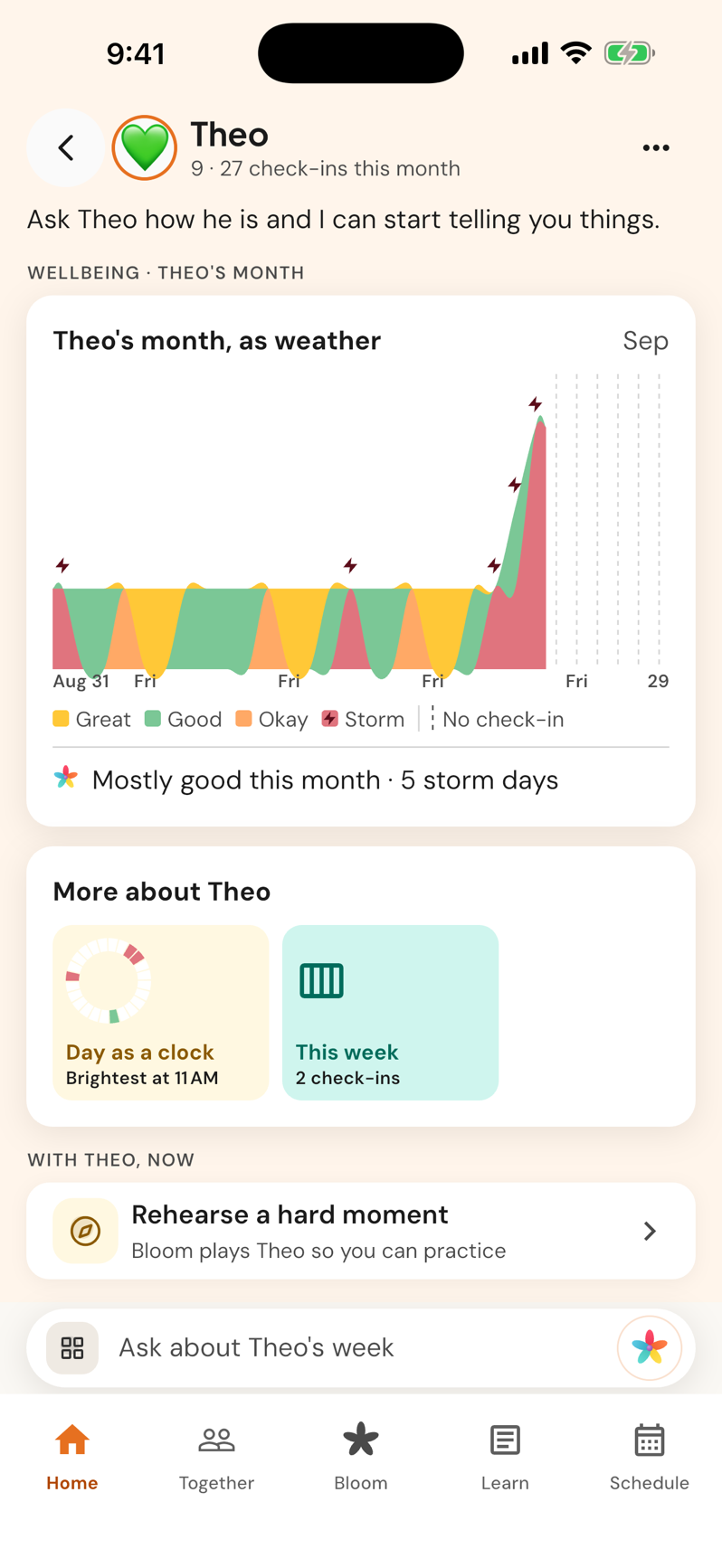
Kids World
Every child, at a glance
Moods, milestones and patterns you would never spot alone, gathered from quick check-ins and turned into insights you can act on this week.
- How each child felt this month, as weather, from three-second check-ins
- The patterns in their days, like when they tend to be brightest
- A way to rehearse the hard moment with Bloom playing your child
Safety and privacy
Built for the moments that matter.
Crisis-safe by design
Every message is screened for risk before anything else happens. If a conversation suggests someone may be at risk, Bloom surfaces local crisis resources immediately, in your language.
Support, not treatment
emoGlow is a coach and a coordinator. It never diagnoses, never replaces a clinician, and says so when a question needs one.
Your family’s data stays yours
We never sell data. Children’s information personalizes your family’s experience and nothing else, in line with COPPA. Export or delete everything, any time.
The science
Parenting, with science on your side.
Every answer starts from what emoGlow knows about your family, then draws on fifty years of child-development research: naming feelings, Yale’s RULER model, emotion coaching, attachment, and practicing hard conversations before they happen.
- Affect labelingSiegel
- RULER mood modelYale
- Emotion coachingGottman
- AttachmentBowlby & Ainsworth
- Cognitive loadSweller
- ScaffoldingVygotsky
FAQ
Questions parents ask.
What is emoGlow?
emoGlow is an AI parenting platform for every family structure. At its center is Bloom, an AI hub you can chat or talk with, that remembers your children by name, age and temperament and coaches you with guidance grounded in developmental psychology. Around Bloom sit the tools that carry the mental load: The Binder, a family calendar, Kids World, Compass, Learn and the Village.
Is it free?
Yes. You can download emoGlow and start for free on iOS and Android. emoGlow Pro unlocks unlimited Bloom conversations and advanced tools; see pricing.
Is emoGlow a replacement for a therapist or a pediatrician?
No. emoGlow supports parents; it is not a medical, legal or therapy service and never diagnoses. If a conversation suggests someone may be at risk, Bloom surfaces local crisis resources immediately. If someone is in danger, contact local emergency services.
What does “grounded in psychology” actually mean?
Bloom’s responses are shaped by named frameworks that are part of the product itself: affect labeling (“name it to tame it”), Yale’s RULER mood model, emotion coaching, attachment research, and behavioral rehearsal. Guidance is retrieved from a curated research library and cited when a source exists. Read more on the science page.
What happens to my family’s data?
We never sell your data. Children’s information is used only to personalize your own family’s experience, in line with COPPA. You can export or delete everything from inside the app. Full details are in the privacy policy.
Does it work for co-parents, blended families, or grandparents?
Yes. emoGlow is built for every family structure: single, partnered, separated, blended and grandparent-led. Invite the other adults in your child’s life and each person sees what they should, and nothing they shouldn’t.
Which languages does it speak?
English, Arabic, German, Spanish, French, Hindi, Japanese, Korean and Simplified Chinese, in text and in voice. Bloom answers in the language you use.
Which devices are supported?
iPhone and iPad on iOS 16 or later, and Android phones and tablets on Android 8 or later. Get it from the App Store or Google Play.
Start tonight. It’s free.
Download emoGlow, add your child, and ask Bloom the question you were going to Google.