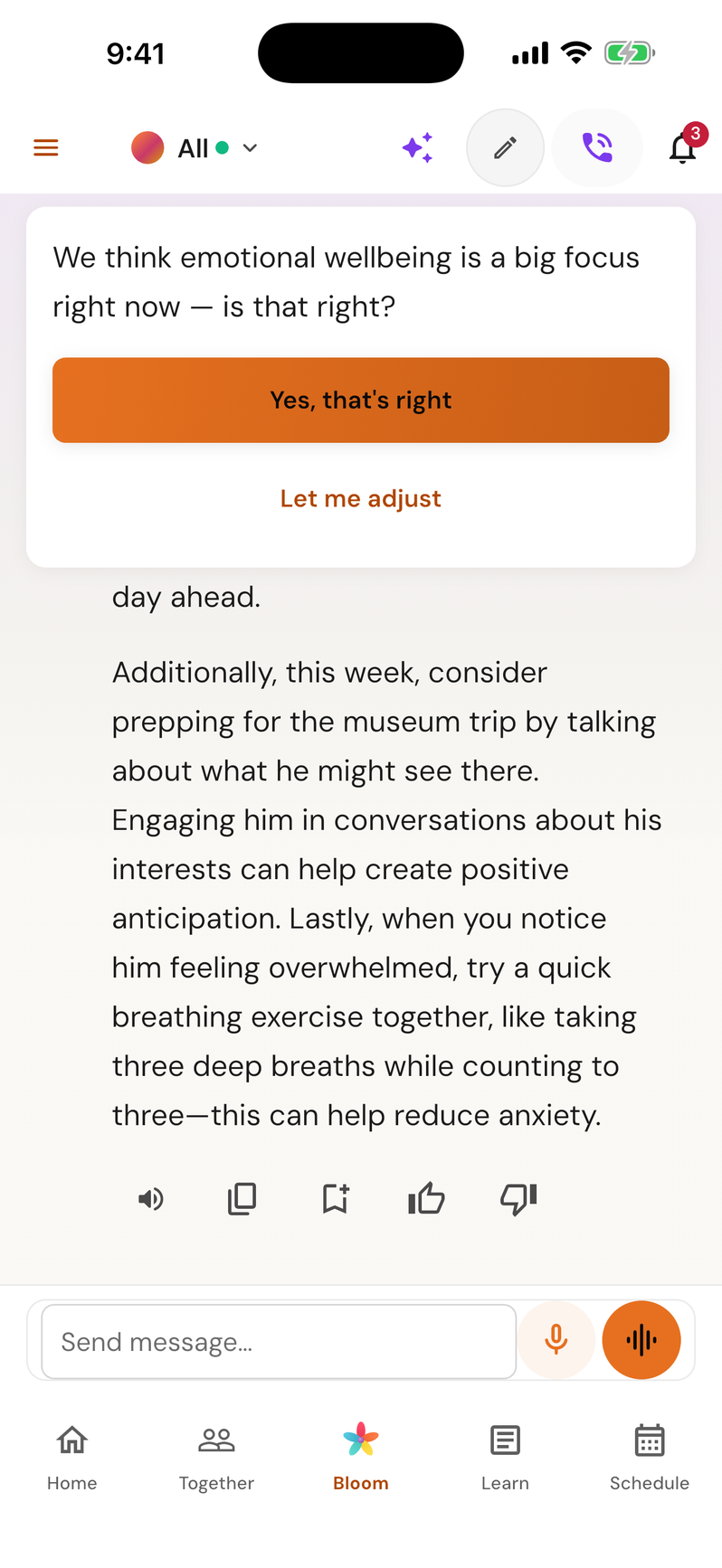
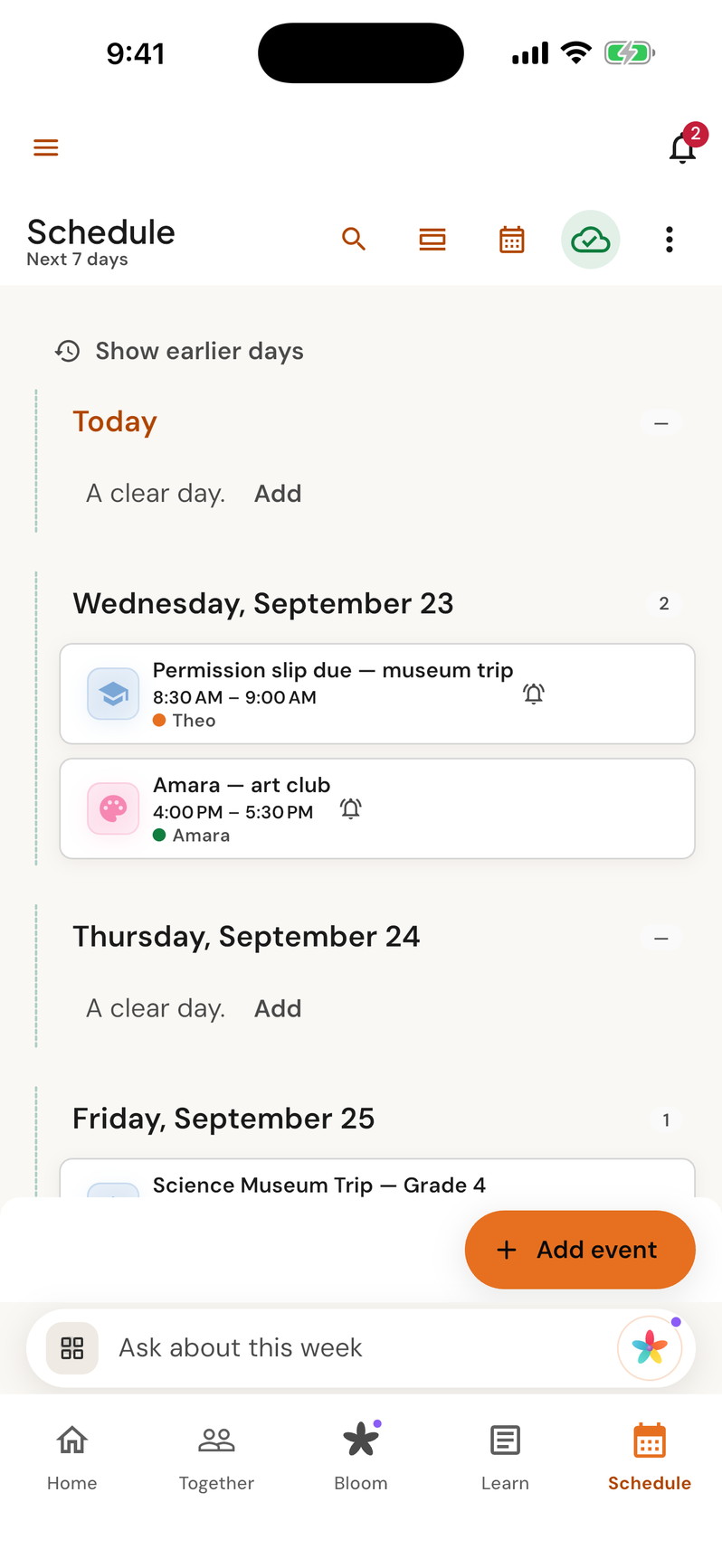
It remembers your child, nudges before you ask, and acts: the school email lands on the calendar, the words to try arrive for tonight, a story carries their name, and at 2 a.m. there is a calm answer that cites the research. Built on fifty years of child psychology. Here is what that means for a family like yours.
7:30Check inYour mood, your energy, each child’s mood. Three seconds, and Bloom already knows what kind of day it is.
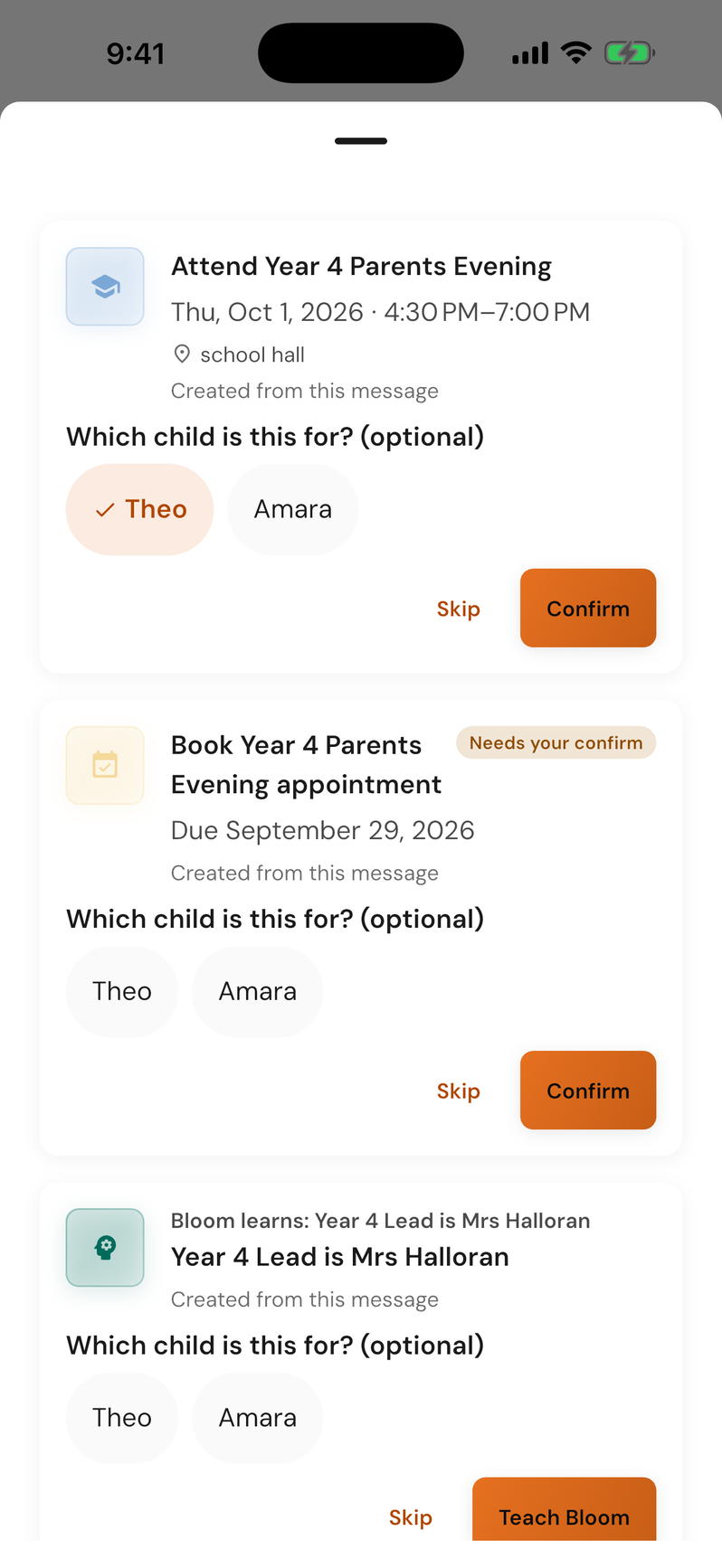
15:10School email, doneForward it to the Binder. The event comes back sorted by child; you tap confirm and it is on the calendar.
19:00The words to tryThe hard moment, your child’s age, the words that fit. By text, or ask out loud while you cook.
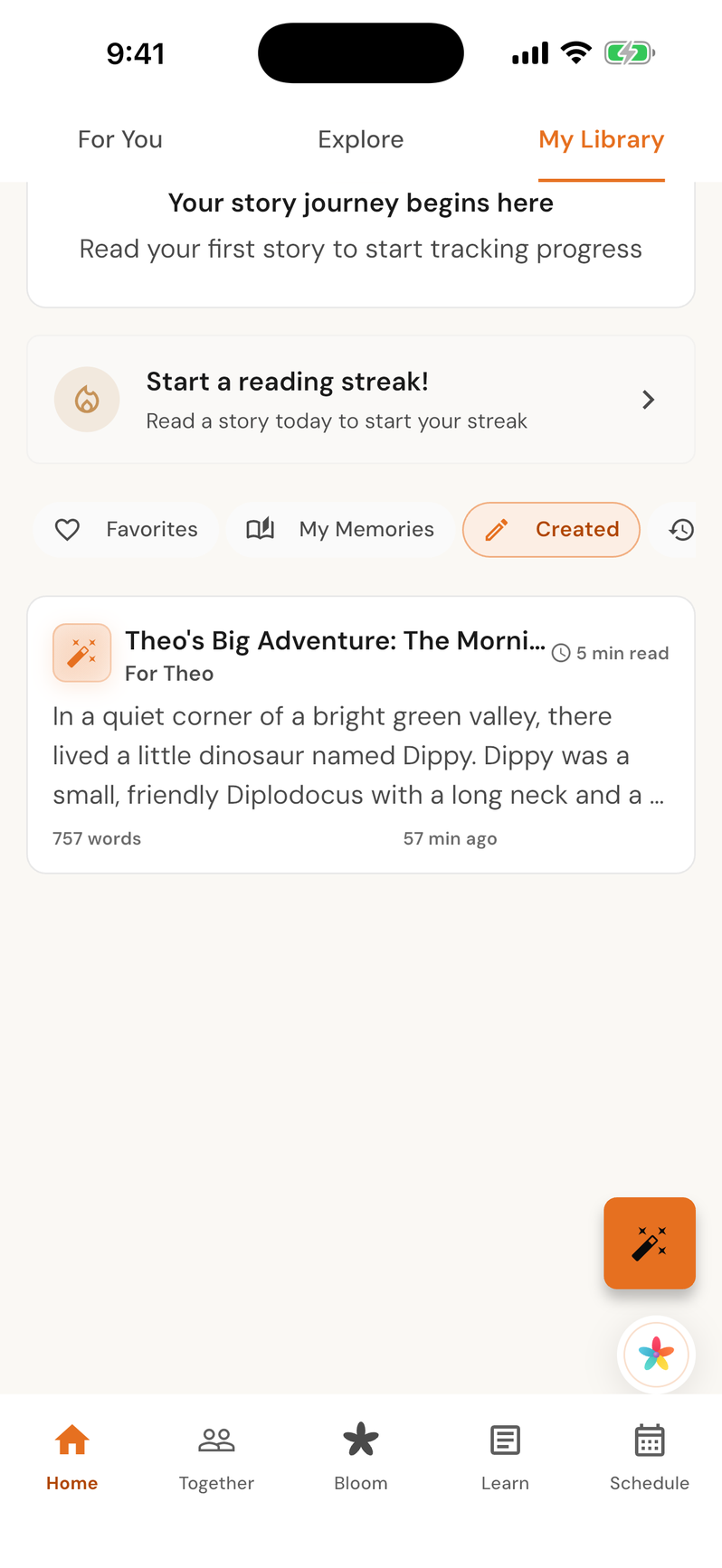
20:30A story with their nameTonight’s story, generated for calm, courage, or just sleep, with a routine that runs itself.
23:00“Am I imagining it?”Ask Bloom. It remembers your child and your last conversation, cites the research, and knows when to point you to real help.
Built differently
Why emoGlow is a different kind of product
Most parenting apps are a content library or a chat window. emoGlow started from fifty years of developmental psychology and an AI built to carry it into your kitchen at 7 p.m.
Your familynames, ages, temperaments, today’s check-in
Psychology substrateten frameworks, in the product
Bloomgraded on our rubric, rehearsed on synthetic families
The right nudgefor this child, on this day
01
A psychology substrate, not a chat window
Affect labeling, RULER, Gottman’s emotion coaching, attachment, scaffolding, co-regulation: ten frameworks wired into the check-ins, the coaching voice and the safety layer, not quoted on a poster. Every answer Bloom gives is shaped by what it knows about your child and which framework applies.
02
Trained on our own rubric, rehearsed on simulated families
We wrote a scoring rubric for parenting answers, not for chat in general, and we grade Bloom against it. Before a change reaches you it is rehearsed in simulation against a standing cohort of synthetic families, in every language we ship, so the answer that reaches you has already been tried on a family like yours.
03
The right nudge, at the right moment
The same engine decides what to surface and when: which article, story or activity, for which child, on which day. It learns from what you actually use, so a nudge arrives in your context, not on a marketing schedule, and it steps back when a conversation suggests someone needs more than an app.
Which family are you?
Pick the one closest to yours and see what changes for your family.
Parenting on your own
Every decision is yours, often at 11 p.m. You need an answer you can trust, in a minute, and someone to think it through with.
Today
Google at 11 p.m. and forty answers that contradict each other
A notes app of routines nobody else sees
No one to ask whether you handled it right
With emoGlow
Bloom answers for your child, cites the research, and remembers what worked
Routines that run themselves, with timers the kids can see
A check-in on you, not only on them
StepsSomething real to hold at 2 a.m.
BloomAsk by text or voice. Bloom picks up where you left off: it remembers your child, your last conversation, what worked.
Research-groundedAnswers cite the developmental research they come from, and say so when they don’t.
Crisis-safeEvery message to Bloom is screened. If a conversation suggests someone may be at risk, local crisis lines appear in your language.
LearnThe article Bloom cited, saved to your library. In the morning, a nudge asks whether it helped.
What you get Guidance for your child, not a generic one, with safety rails that never switch off.
The four co-parenting apps are built for two parents in dispute: records, payments, court documents. Only one of them will talk a parenting question through at all, none by voice, none citing the research, none with the words for your child’s age. emoGlow does all four, and checks in on you as well as your child.
You agree on most things and drown in logistics. You want one calendar, both of you in the loop, and a neutral, evidence-based voice when you disagree.
Today
A shared Google calendar and a thread of “who’s picking up?”
Two opinions on discipline and no tiebreaker
School emails one of you forgets to forward
With emoGlow
One family calendar both of you see, conflicts flagged first
A coach that cites the research when you two disagree
Forward the email; the event is on the calendar for both of you
StepsThe week runs without you holding it
ScheduleOne family calendar both parents see. Conflicts surface before they bite.
The BinderForward the practice-change email. Bloom drafts the event; you tap confirm.
RoutinesThe evening routine runs itself: steps, timers and reminders for the hours you are not managing.
HandoffsPrepare the handoff so the other parent picks up mid-stream, then debrief how it went.
Bloom’s PlanWhen a pattern shows, Bloom proposes the next small structural fix and sets it up for you.
What you get Fewer things to remember by dinner, and the other household in sync.
Every app here has a shared calendar. emoGlow adds the part the others leave out: a coach that cites the research when you two disagree, check-ins for each child, and a free account for both of you.
If you need a record, emoGlow has a certified, tamper-evident export of your messages and calendar events on a paid plan: it shows the record has not been altered, and it makes no promise about a court. The other four go further there, with notarized or printed records. What they do not have is help with the parenting between handoffs: the words to try at your child’s age, check-ins for your child, crisis resources when a conversation with Bloom suggests risk.
You know how to love a child. Screen time, social media and school apps are new. You want gentle, current guidance without being talked down to.
Today
Screen-time rules for a grandchild who knows every app and you know none of them
Advice written for first-time parents in their twenties
A bedtime that runs late with nothing to read
With emoGlow
Ask out loud, in your language, and get a current answer without the lecture
Guidance for the child in front of you, at their age
A story with their name in it, every night, free
StepsThe hardest hour has a script
RoutinesThe bedtime routine runs step by step with countdown timers the kids can see.
StoriesTonight’s story, or generate one with your child’s name, for calm, courage, or just sleep.
Bloom · VoiceTalk it through hands-free while you tidy up. Bloom answers aloud.
BreathingA one-minute reset for you after lights out.
What you get A routine that runs itself, a story that fits tonight, and a calmer you.
The co-parenting apps assume a dispute to document. emoGlow assumes a child to raise: ask about screen-time rules out loud and get an answer in your language, read a bedtime story with their name in it, and start free.
Three sets of rules, two ex-partners, one new baby. You need every adult on one calendar, each with their own account, and coaching that understands step-parenting.
Today
Three calendars, three sets of rules, one spreadsheet
Per-parent subscriptions for every adult who helps
A step-parenting question nobody has written the book for
With emoGlow
One calendar that respects each child’s schedule; the other parent joins free
Each child seen on their own: check-ins, patterns, the words for their age
Bloom will talk the step-parenting question through, and remember it
StepsForward an email. Done.
The BinderForward any school, activity or medical email to your Binder address.
ReviewEach item comes back as an event, a task or a reminder, sorted by child, waiting for your confirm.
ScheduleIt lands on the family calendar, on the right date, with a reminder the morning of.
Lists & billsThe supply list and the fee go where you will actually see them.
What you get A forwarded email is the entire workflow.
Per-parent pricing adds up when more than one adult helps. In emoGlow the other parent joins free with their own account, and a further adult, such as a caregiver, needs the Family plan. The calendar is one calendar, Bloom will talk a step-parenting question through with you, and each child gets the words for their age and their own check-ins.
Rows where emoGlow’s page says yes and no other app’s page does, computed from the grid above.
✓By voice, hands-free
✓Answers cite the research
✓The words to try, by your child’s age
✓Check-ins with your child
✓Your own mood and energy
✓Bedtime stories with their name
✓Crisis resources when a conversation suggests risk
Not what emoGlow is for
These are rows where emoGlow’s answer is no and another app’s is yes. The apps named under each row offer it; emoGlow does not.
Messages that cannot be edited or deletedOurFamilyWizard, TalkingParents, BestInterest, AppClose
Filter on what the other parent sendsBestInterest
Expenses and paymentsOurFamilyWizard, TalkingParents, BestInterest, AppClose
Access for lawyers and therapistsOurFamilyWizard, BestInterest, AppClose
Start free today
Download emoGlow free on iPhone or Android and start on the free plan. Premium unlocks unlimited Bloom conversations, text and voice, for $9.99 a month or $99.99 a year.
Yes, to start. Download is free on iPhone and Android, and the free plan includes Bloom with a daily allowance, the family calendar, the Binder, check-ins and Kids World basics. emoGlow Premium, $9.99 a month or $99.99 a year for one adult, unlocks unlimited Bloom conversations by text and voice. The Family plan gives Premium to both parents.
Is emoGlow a co-parenting app?
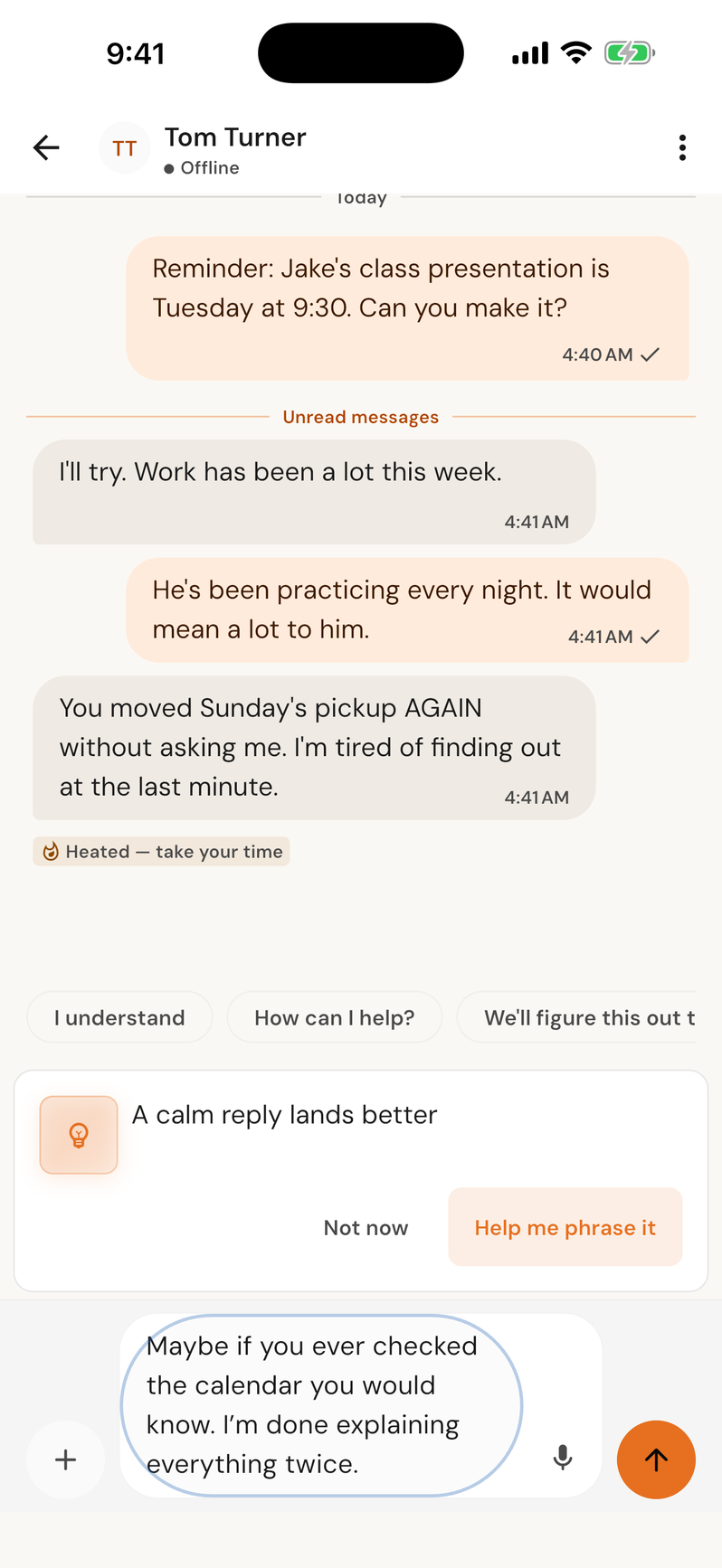
It works for co-parents, and it is not only that. emoGlow is for the parenting itself: the words to try at your child’s age, check-ins for your child and for you, Bloom by text or voice in nine languages. Across two homes it adds a tone check before you send, a shared calendar, day swaps and handoff prep. On a paid plan you can export your messages and calendar events as a certified, tamper-evident PDF; it shows the record has not been altered and makes no promise about a court.
What is Bloom?
Bloom is the AI in emoGlow. It remembers your child by name, age and temperament, answers by text or voice in nine languages, cites the developmental research it draws on, and says so when there is no source. It is support, not treatment, and it never replaces a clinician.
Does the other parent have to pay?
No. You invite the other parent free, and they get their own account on the free plan, with their own view. Premium applies to the adult who subscribes; Premium for both of you is the Family plan.
What happens if a conversation suggests someone is at risk?
Every message you send to Bloom is screened for risk before Bloom answers. If a conversation suggests someone may be at risk, Bloom shows local crisis resources in your language and steps back from coaching. Messages between parents get the tone check, not this screen. emoGlow is a support tool, not a crisis service.
The evidence, row by row
Open any row for what each company’s own page says, with the link and the date we read it.
Price and access
Price
emoGlow
Free plan. emoGlow Premium, for one adult: $9.99 a month or $99.99 a year (US dollars; the store shows local pricing). The Family plan covers both parents; its price is in the app.
Free plan for both to start: the other parent joins free. Premium is $99.99 a year for one adult; Premium for both parents is the Family plan, priced in the app.
Free: Bloom chat with a daily allowance, family profiles, check-ins, Kids World basics, the calendar, the Binder, Learn and the Village. Premium removes the daily allowance and adds the rest.
“As of March 30, 2026, you’ll need a paid subscription to use the TalkingParents app.” A fee waiver exists for financial hardship or domestic violence.
You invite the other parent free, with their own account on the free plan. Premium covers the adult who subscribes; Premium for both parents is the Family plan.
Each parent needs their own paid plan unless granted a fee waiver; the pricing page says co-parents can communicate “even if you are on different plans”.
The pricing page does not say who pays. Solo Mode lets you “Manage your parenting records, schedules, and expenses even without the other parent connected.”
“Messages include sent and viewed time stamps and cannot be edited or deleted once they’ve been shared.” Accountable Calling records and transcribes calls.
Not offered. The sender can edit or delete their own message. An edit keeps its history; a deleted message is left out of a certified export, and the export states how many were left out.
ToneMeter flags wording that could raise tension, and Writing Assistant suggests a calmer version (Essentials and up). Its ToneMeter page calls it “a proprietary, advanced AI model”.
Message Shield, on Protect and up, “removes any hostility, personal attacks, manipulation, and non-child-focused content, and retains the original for safe keeping.”
One family calendar both parents see, with a repeating schedule for two homes. The Binder turns forwarded emails into events and tasks; nothing lands without your confirmation.
Ask to swap a day in the app: the other parent accepts, declines or suggests another day, and an accepted swap moves the calendar. Both parents need to be in the app.
Expense tracking on every plan; receipt scanning and recurring expenses on Connect and up. “Track shared child costs, receipts, splits, and payments in one place.”
On a paid plan: a certified, tamper-evident export of messages and calendar events, with a code anyone can check. It shows the record is unaltered and promises nothing about a court; not notarized or printed.
“Download unlimited PDF records” from Essentials up; Premium adds certified records, “notarized, printed, and mailed to you”. Its home page says “Accepted by courts in all 50 states”.
Unlimited PDF records on Enhanced and Ultimate, one printed package with Ultimate; “admissible in court and can be shared with lawyers or other professionals”.
AppClose Pro: “Attorneys, guardians ad litem, mental health professionals, court staff and other family law professionals can connect with you through AppClose Pro.”
Coparent Coach, which the pricing page’s FAQ describes as AI: it can review a draft or “offer ideas for approaching a parenting challenge”. 3 sessions a day free, 6 on Connect, unlimited above.
Free child accounts: “Children can view the family calendar, share memories with the Journal, and exchange messages with other family members.” No check-ins listed on that page.
A private Personal Journal: “Capture reflections, track observations, or recap in-person conversations in a private space that’s only visible to you.” No mood check-in listed.
Crisis resources when a conversation suggests risk✓◐–◐◐
✓emoGlow Yes.
If a conversation with Bloom suggests someone may be at risk, Bloom shows local crisis resources in your language and steps back from coaching. Messages between parents get the tone check, not this screen.
The pricing page lists no crisis line. It says you “may qualify for a fee waiver if you’re experiencing financial hardship or are a survivor of domestic violence”.
The pricing page lists no crisis line. Protect and up include Emergency Detection, which “prioritizes likely urgent messages”, with “Use local emergency services for immediate danger.”
The pricing page lists an “Emergency Contact - Assign an emergency contact who can receive key notifications or assist in urgent situations”; no crisis line.
Prices and plans change. If a cell here is out of date, the linked page is the one to trust, and we would like to hear about it at support@emoglow.ai.
More about emoGlow: the free plan, Premium and the Family plan on the pricing page; how Bloom screens messages for risk on the science page. The free words to try, by age, are under Scripts.
This is general information drawn from published research and pediatric guidance. It is not medical, psychological or legal advice. If you are worried about your child, talk to your doctor.